













Global Atomy Membership Registration
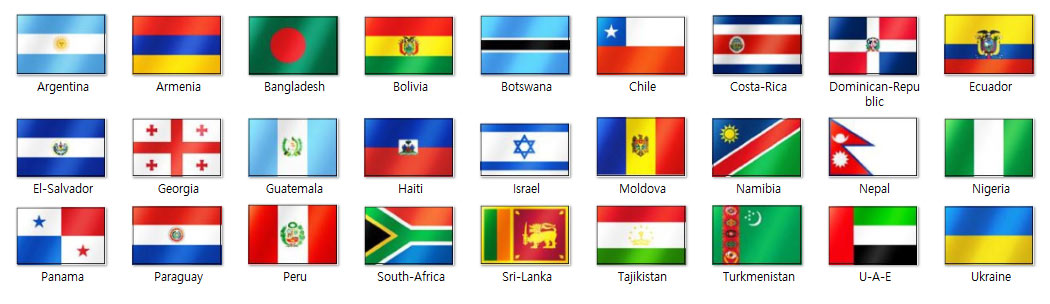
✓Atomy membership is available in 150+ countries. Please select your country from the options below.
– Atomy membership registration guide –
STEP 1
This page provides guidance for joining Atomy as a member.
All actual registration is done only through the Official Site below.
Use the guide images and enter the information step by step.
– Official Website –
⇒ https://eu.atomy.com/main ⇐
STEP 2
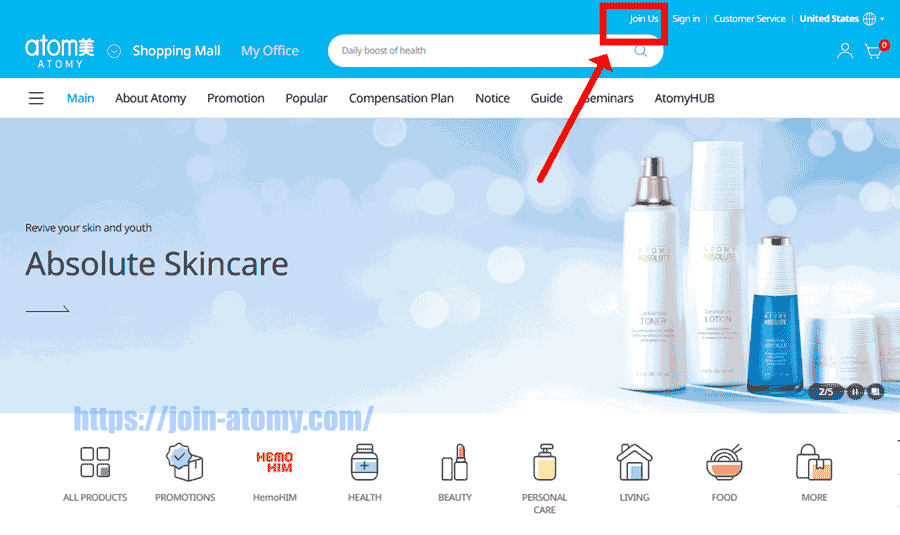
On the official site, click “Join Us” in the top-right corner.
This will take you to the membership registration page.
STEP 4
Some countries are not fully launched on the site yet, but registration can still proceed.
The service will open officially soon for those regions.
If needed, you can pre-register members under your sponsorship.
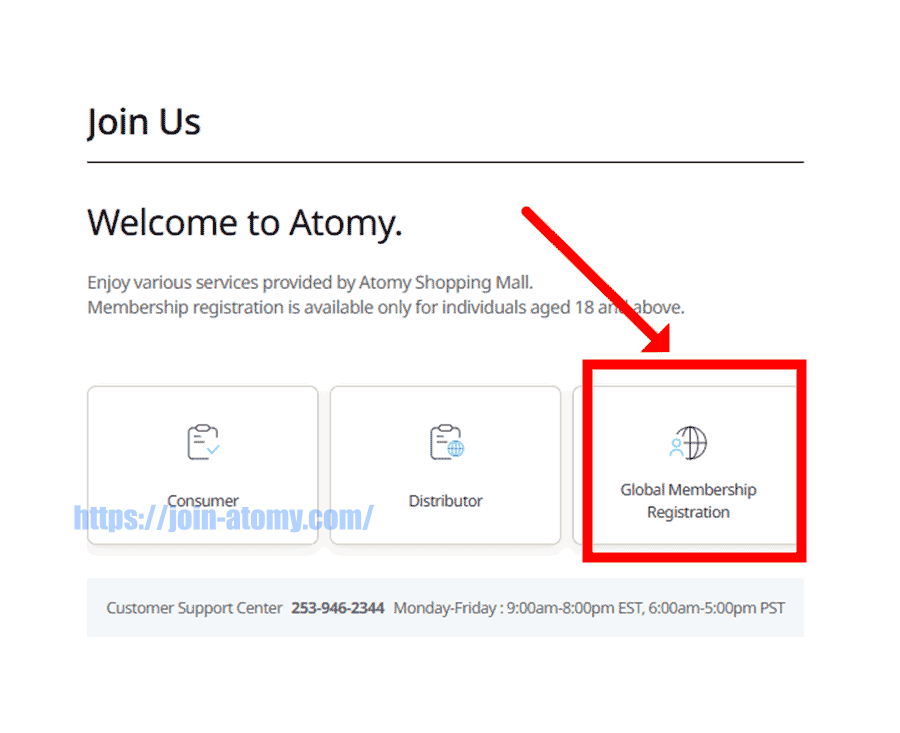
STEP 5
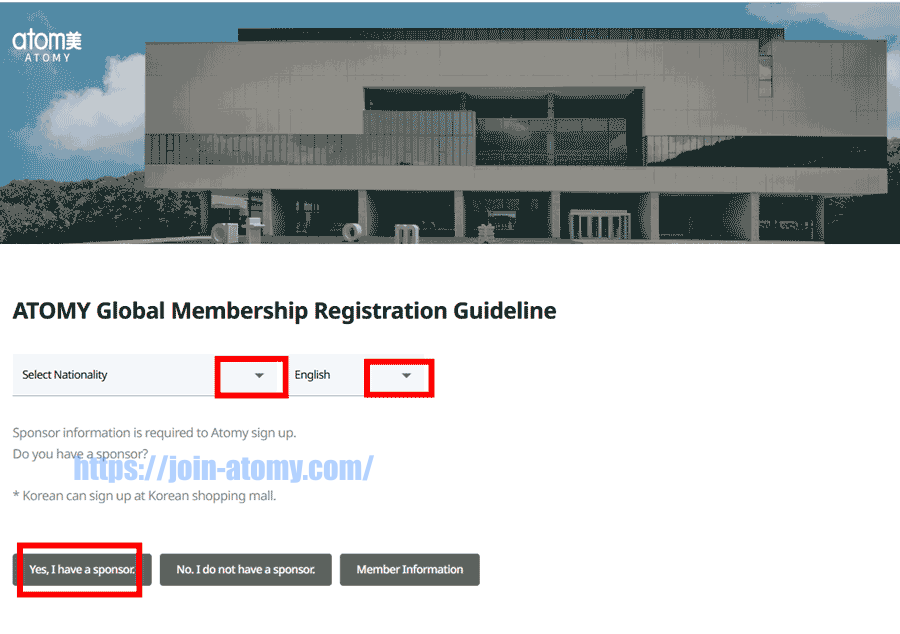
First, pick your country.
Next, switch to your language.
Finally, select your sponsor and continue.
STEP 6
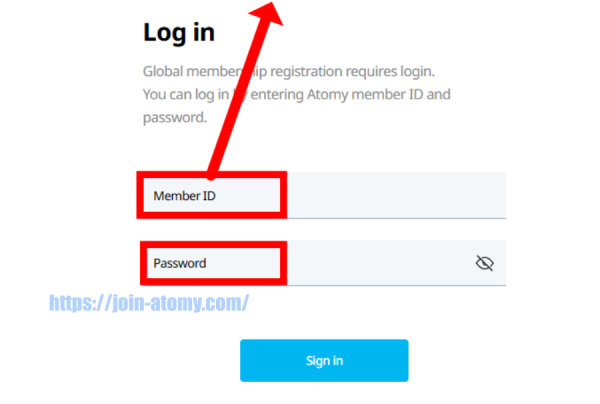
You must enter your ID and password in the blank fields below.
Then send us a message using the bottom-right icons (WhatsApp, Facebook, etc.).
Message: Please tell me ID and password.
STEP 7
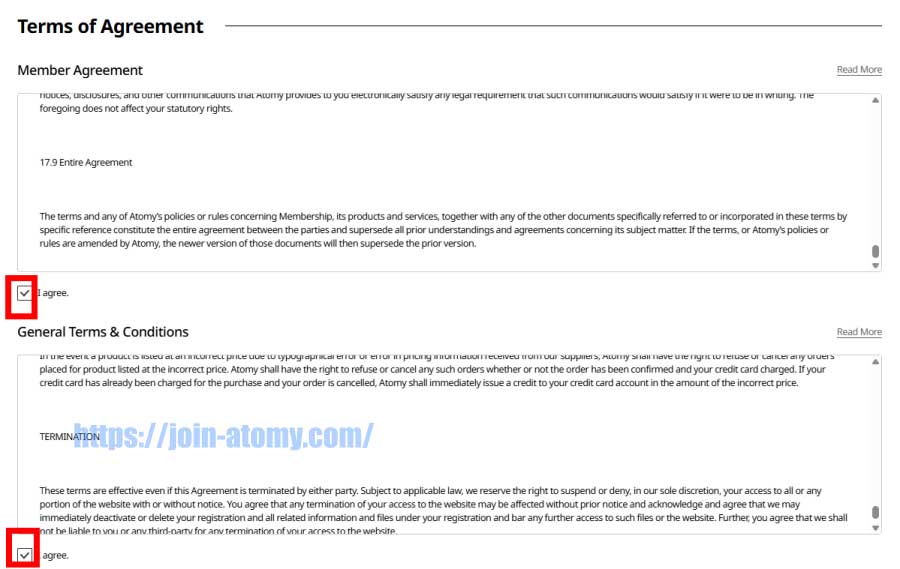
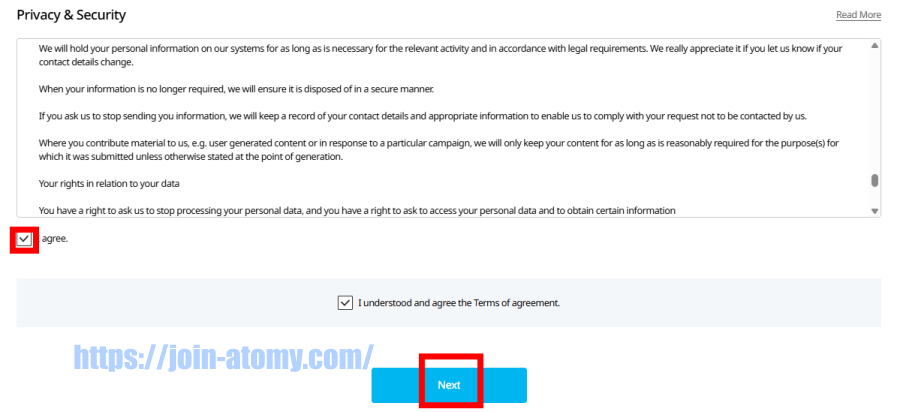
Review the Membership Guide carefully.
Continue only after you understand the guidelines.
STEP 8
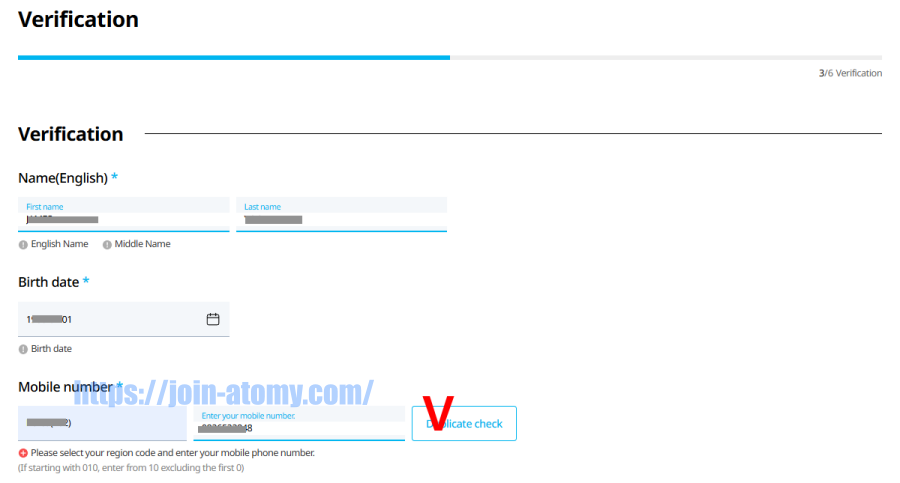
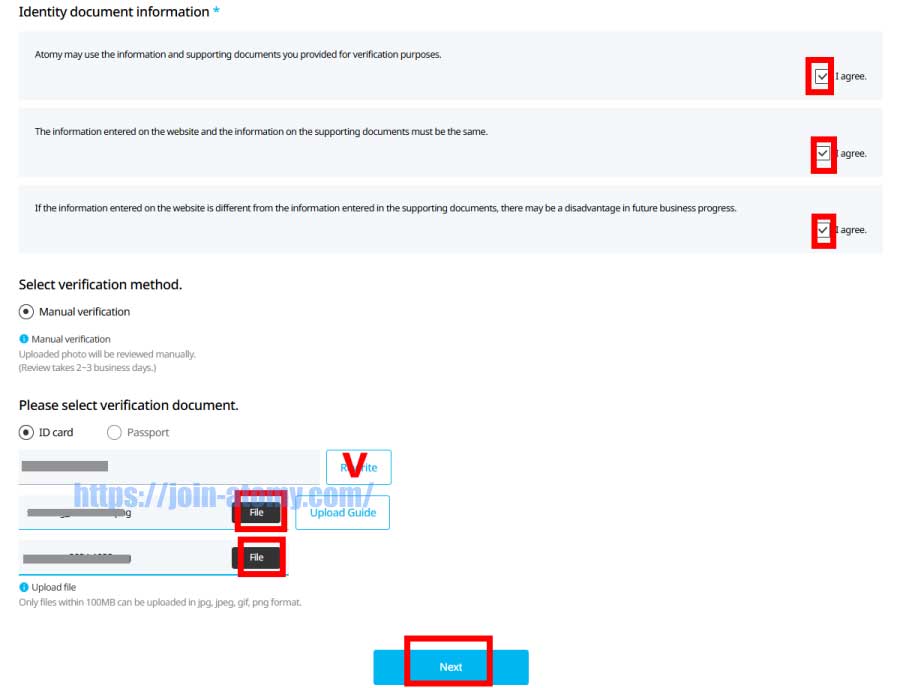
Fill in your personal information carefully.
Check spelling, numbers, and required fields before moving on.
![[join-atomy] ID-card_front](https://join-atomy.com/wp-content/uploads/2024/11/join-atomy-ID-card_front.png "[join-atomy] ID-card_front")
ID-card_front
![[join-atomy] ID-card_back](https://join-atomy.com/wp-content/uploads/2024/11/join-atomy-ID-card_back.png "[join-atomy] ID-card_back")
ID-card_back
STEP 9
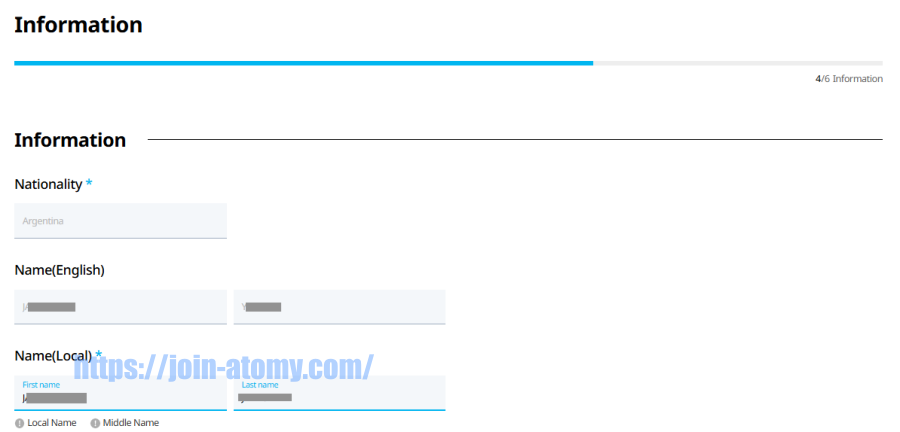
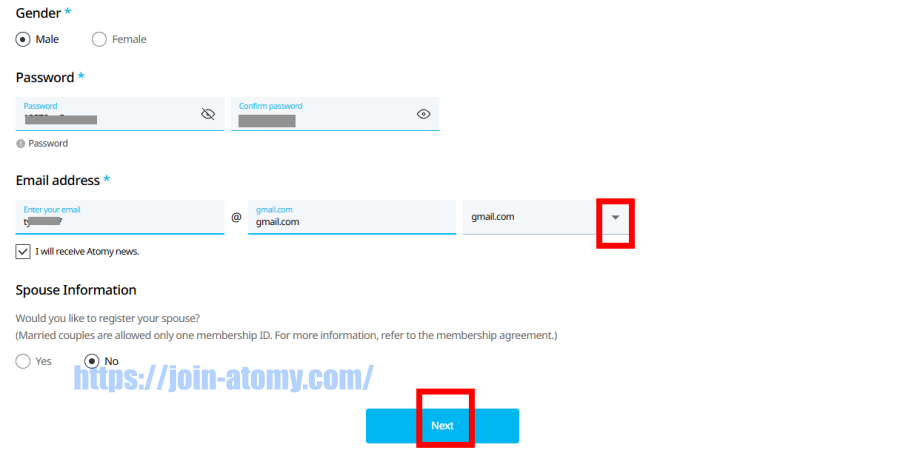
Please type your local name exactly as you use it officially.
Double-check your information before moving forward.
STEP 10
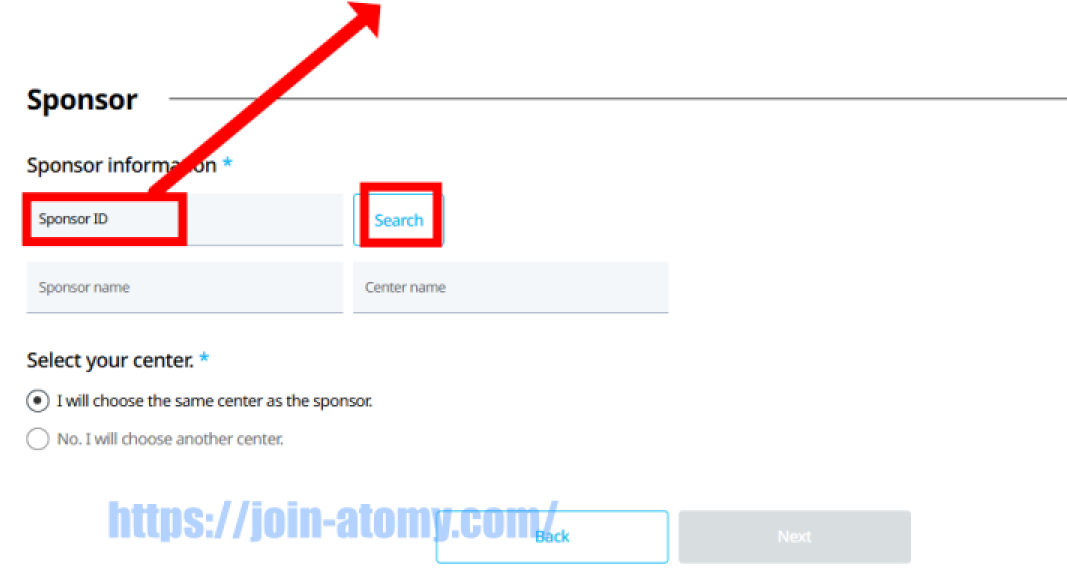
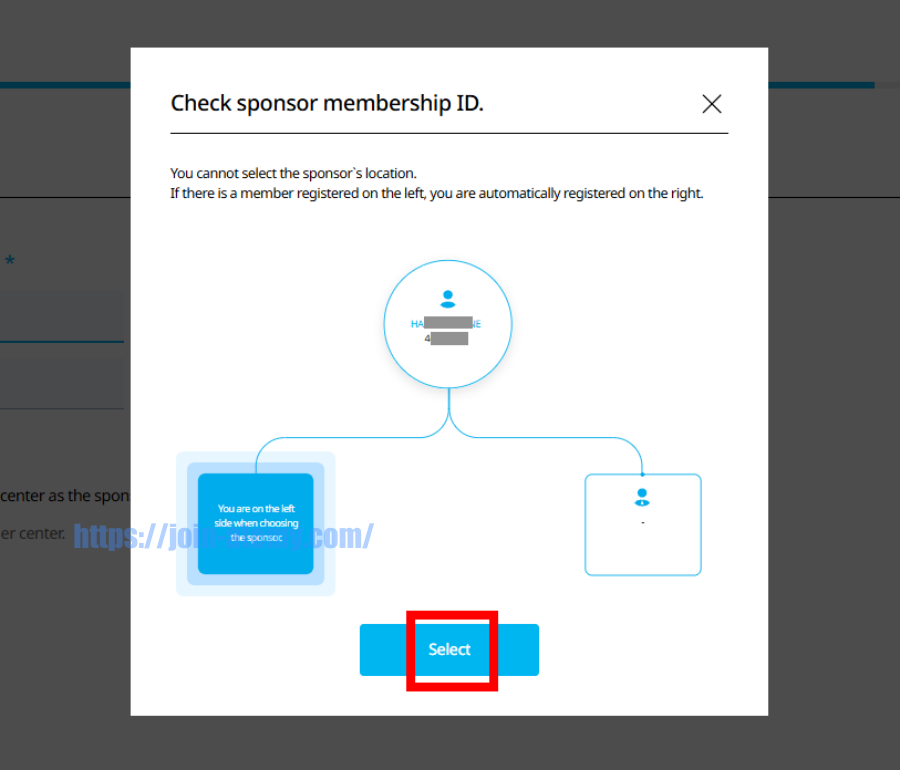
You need the ID of a sponsor who has already become a member.
Enter your sponsor ID in the blank.
Choose one of the options
| 49474377 | 49469535 |
| 49370710 | 49476330 |
| 49480807 | 49220453 |
STEP 11
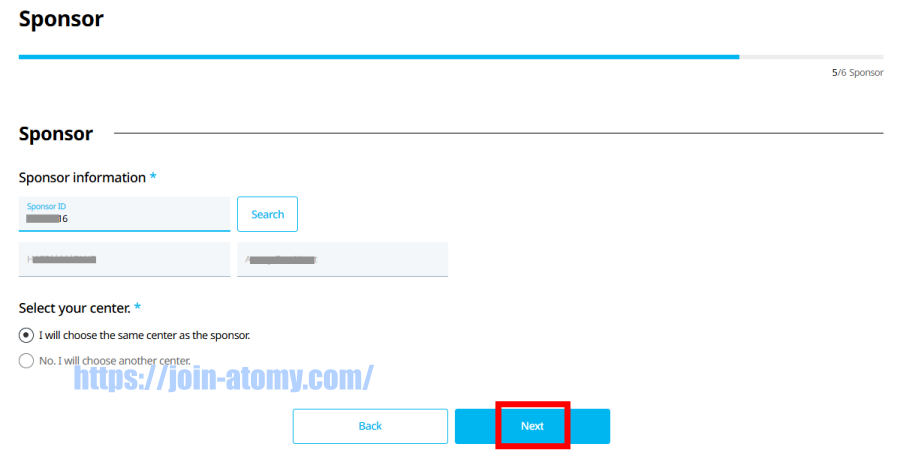
Check the sponsor information carefully, then select Next.
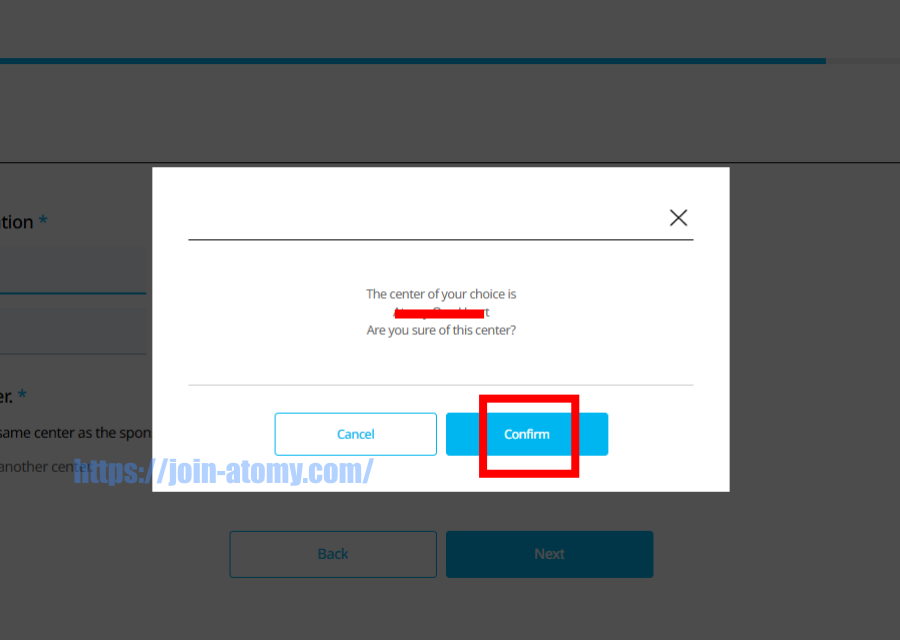
Choose Confirm Center Designation to finalize your center selection.
Center changes are allowed later once the market opens officially.
STEP 12
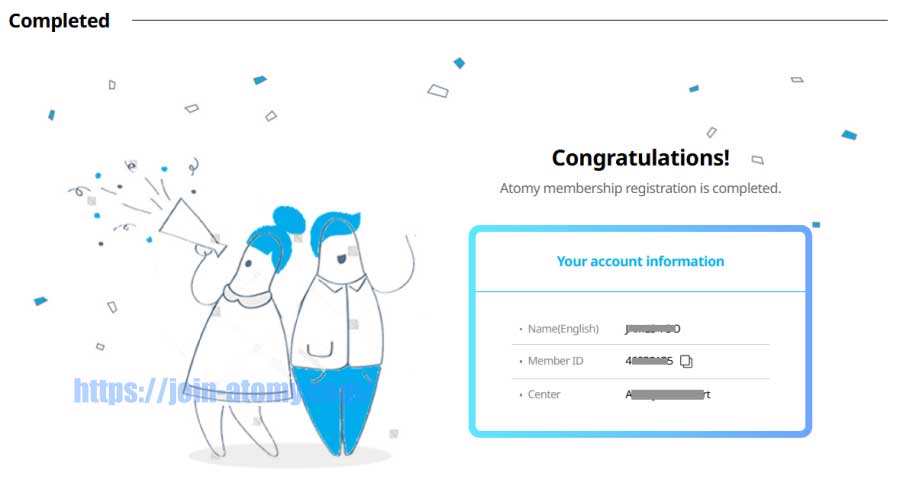
Registration has been successfully completed.
Remember your Member ID and Password—they are required to sign in.
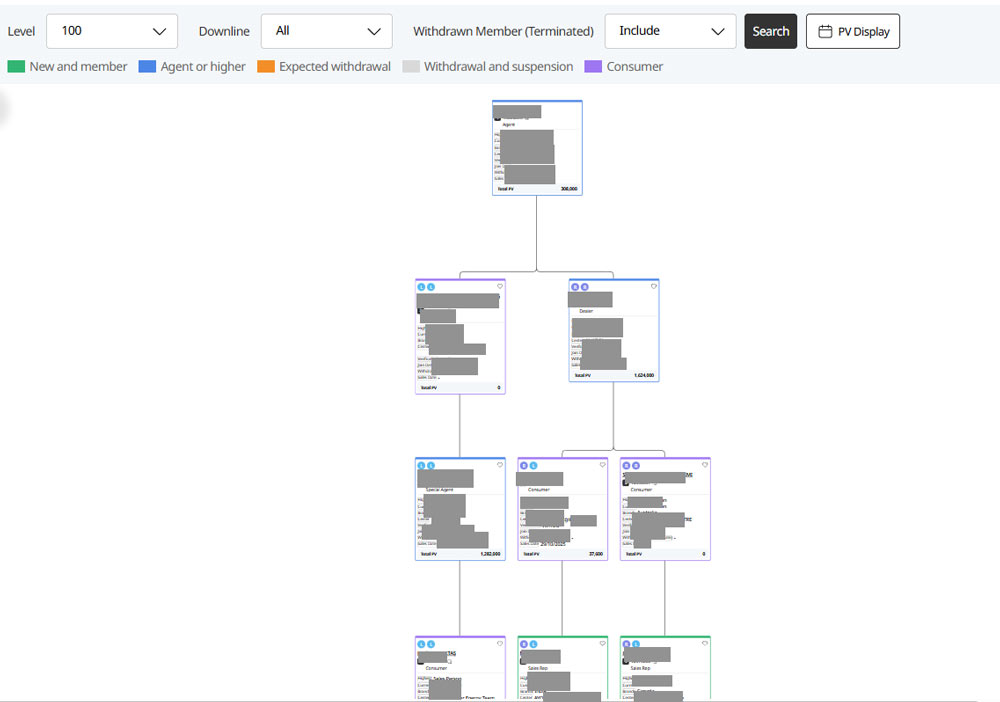
How to view my My Lineage(Organization Map)
Your Position, Clearly Explained
STEP 1
Log in on the official Atomy website for your country.
– Example Site –
https://eu.atomy.com/main
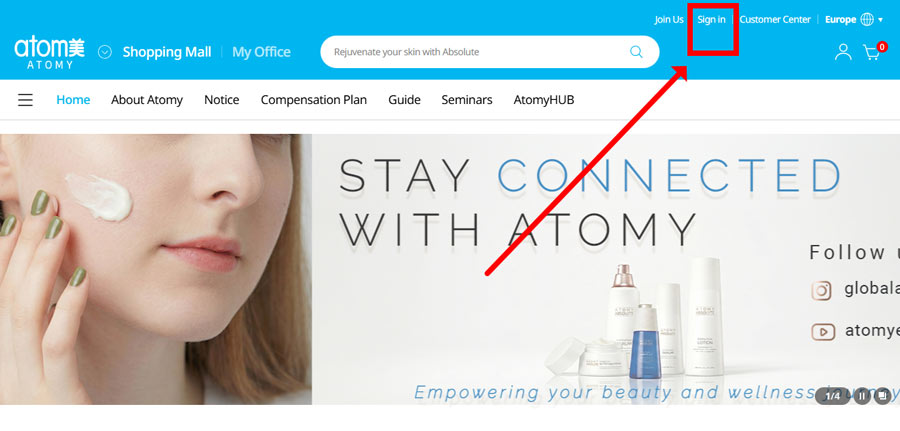
STEP 2
Sign in using your Atomy ID.
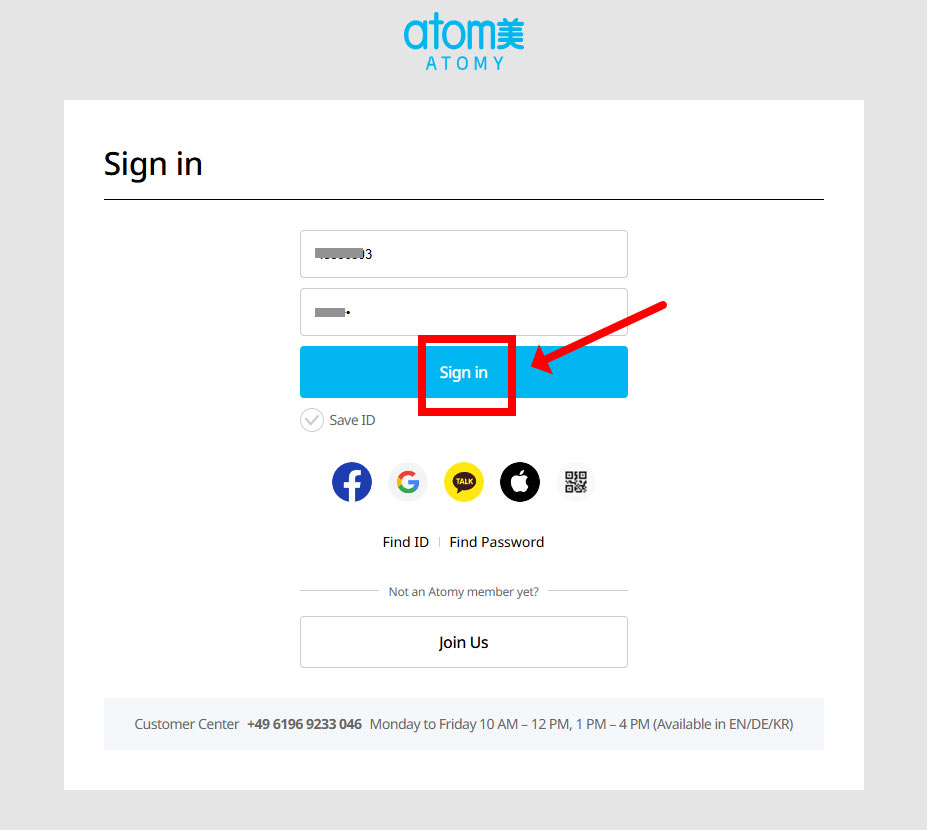
STEP 3
Click “My Office” to view your account and lineage.
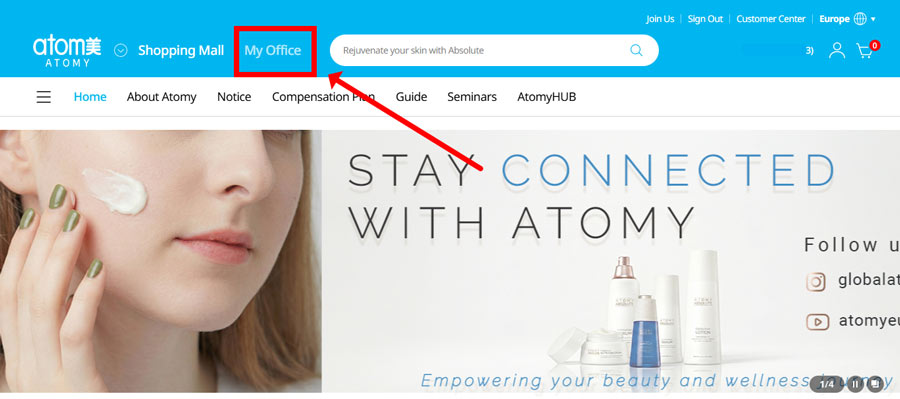
STEP 4
Go to “Lineage” to see where you are placed and how your team is structured.
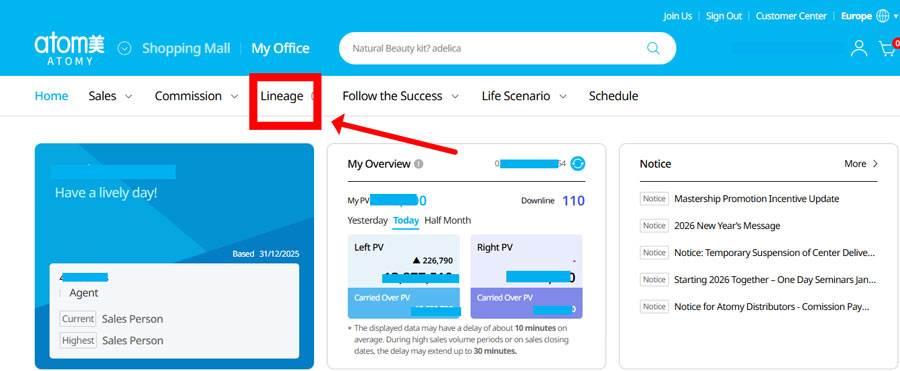
STEP 5
Use “Search” to find your position in the organization.
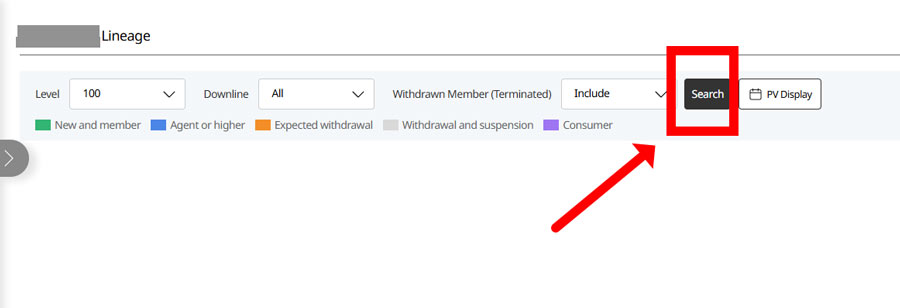
STEP 6
You’ll see your position at the top of the lineage tree screen.