














✓Atomy membership is available in 150+ countries. Please select your country from the options below.
– Atomy membership registration guide –
STEP 1
This page provides guidance for joining Atomy as a member.
All actual registration is done only through the Official Site below.
Use the guide images and enter the information step by step.
– Official Website –
⇒ https://eu.atomy.com/main ⇐
STEP 2
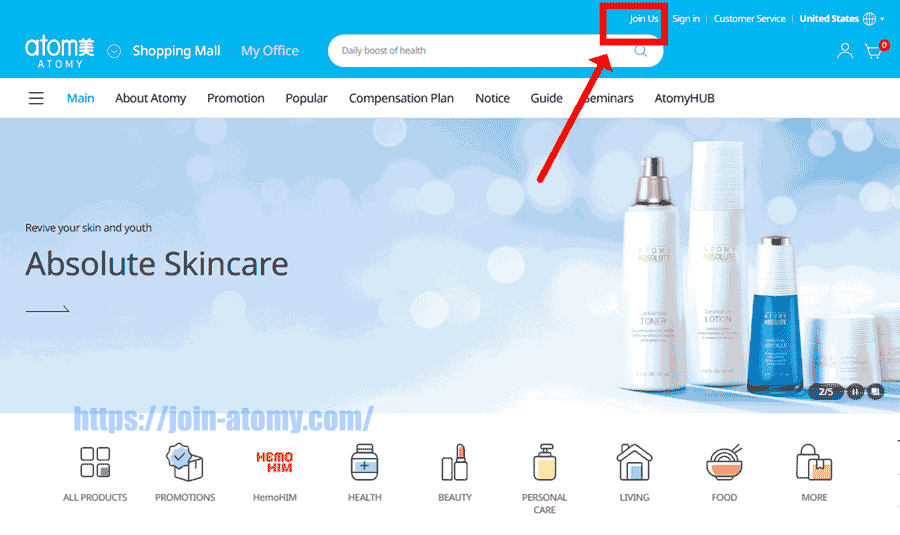
On the official site, click “Join Us” in the top-right corner.
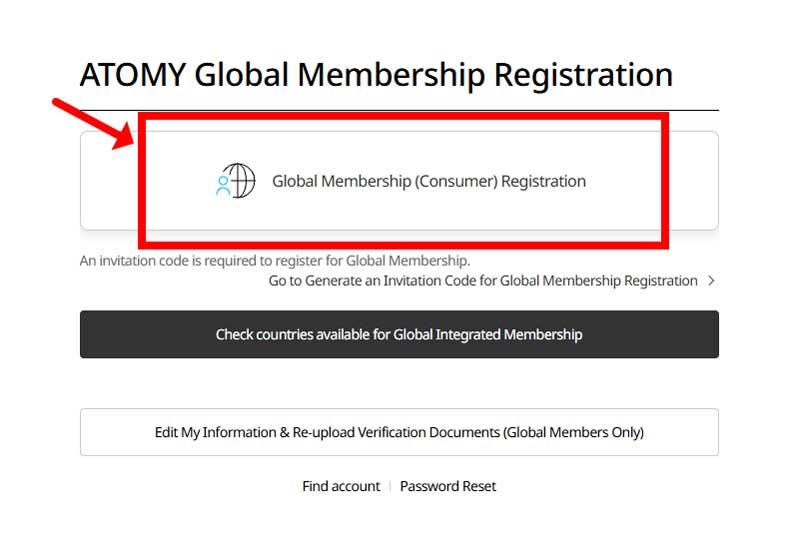
This will take you to the membership registration page.
STEP 4
Atomy is coming soon to your country.
Join early and start registering new members
under your sponsorship ahead of the official opening.
Atomy is coming soon to your country. Join early and start registering new members under your sponsorship ahead of the official opening.
STEP 5
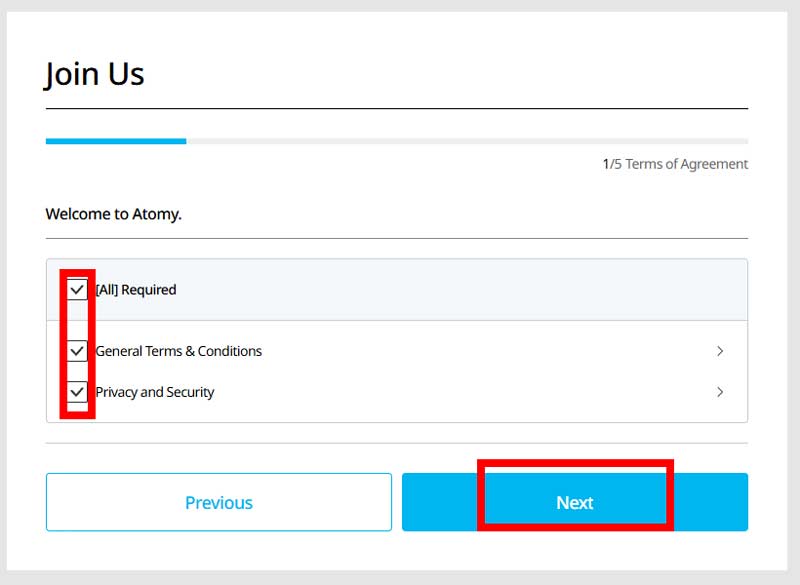
Read the required terms for Atomy membership.
Check “[All] Required” if you agree,
then click “Next” to proceed.
STEP 6
To continue your Atomy membership registration,
type the invitation code shown by the arrow
into the empty field and select “Next.”
73MPWFIC

STEP 7
Choose your country
and select “Next” to proceed.

STEP 8
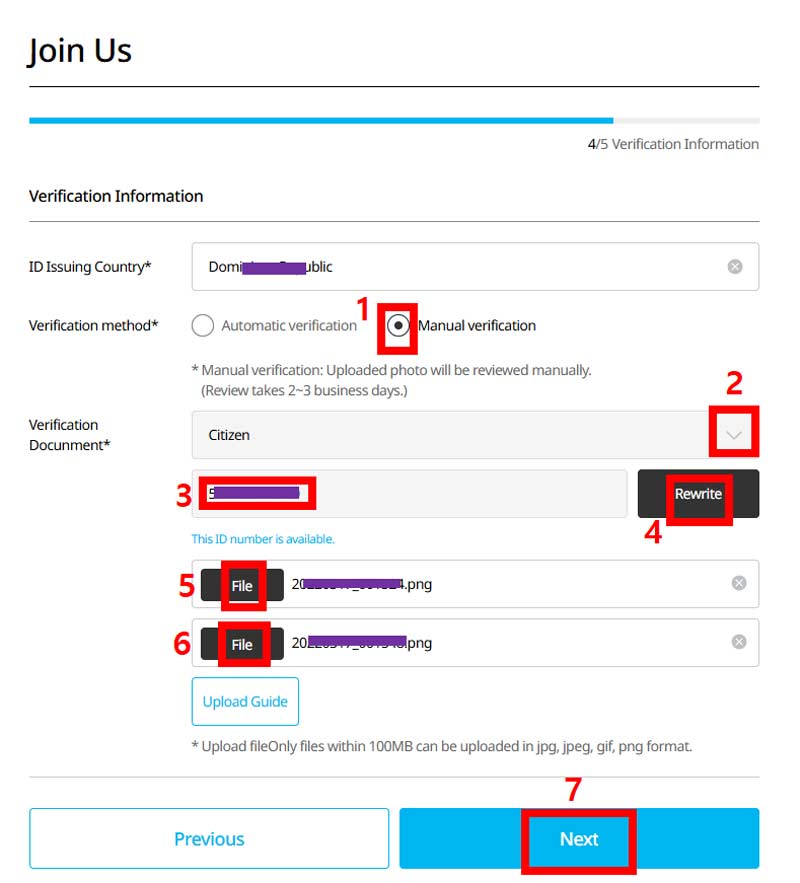
Choose “Manual verification” and your identification document.
Fill in your ID number and attach the required photos.
Select “Next” to proceed.
![[join-atomy] ID-card_front](https://join-atomy.com/wp-content/uploads/2024/11/join-atomy-ID-card_front.png "[join-atomy] ID-card_front")
ID-card_front
![[join-atomy] ID-card_back](https://join-atomy.com/wp-content/uploads/2024/11/join-atomy-ID-card_back.png "[join-atomy] ID-card_back")
ID-card_back
STEP 9
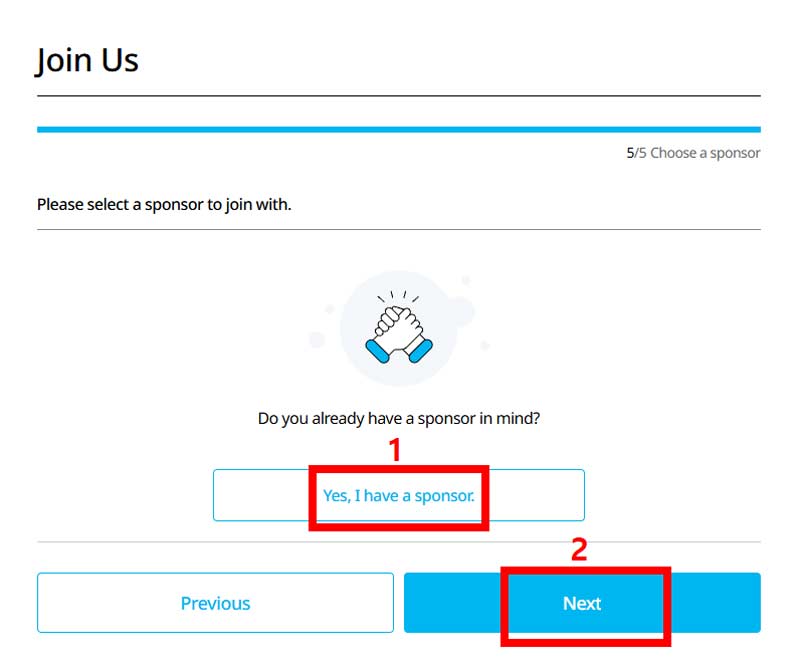
Click “Yes, I have a sponsor.”
Then select “Next” to proceed to the sponsor details.
STEP 10
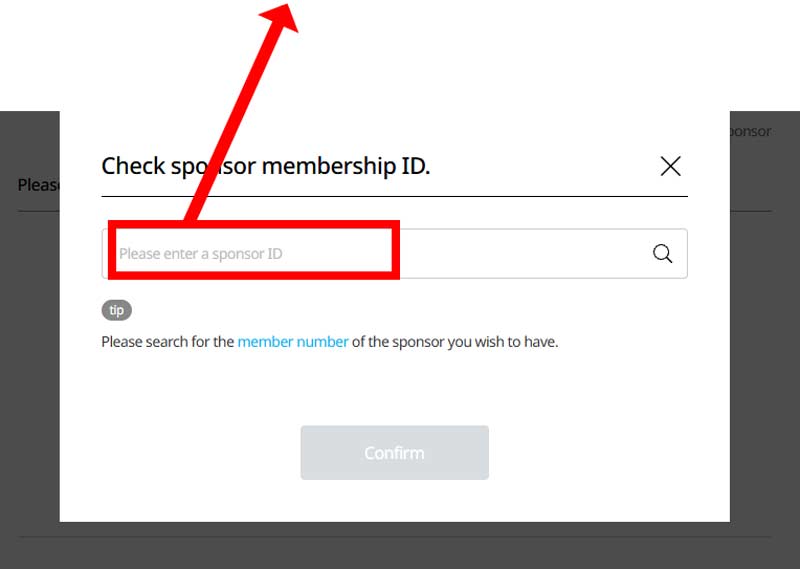
You need the ID of a sponsor who has already become a member.
Enter your sponsor ID in the blank.
Choose one of the options
| 49690636 | 49607766 |
| 49525107 | 49687936 |
| 49689433 | 49678305 |
STEP 11
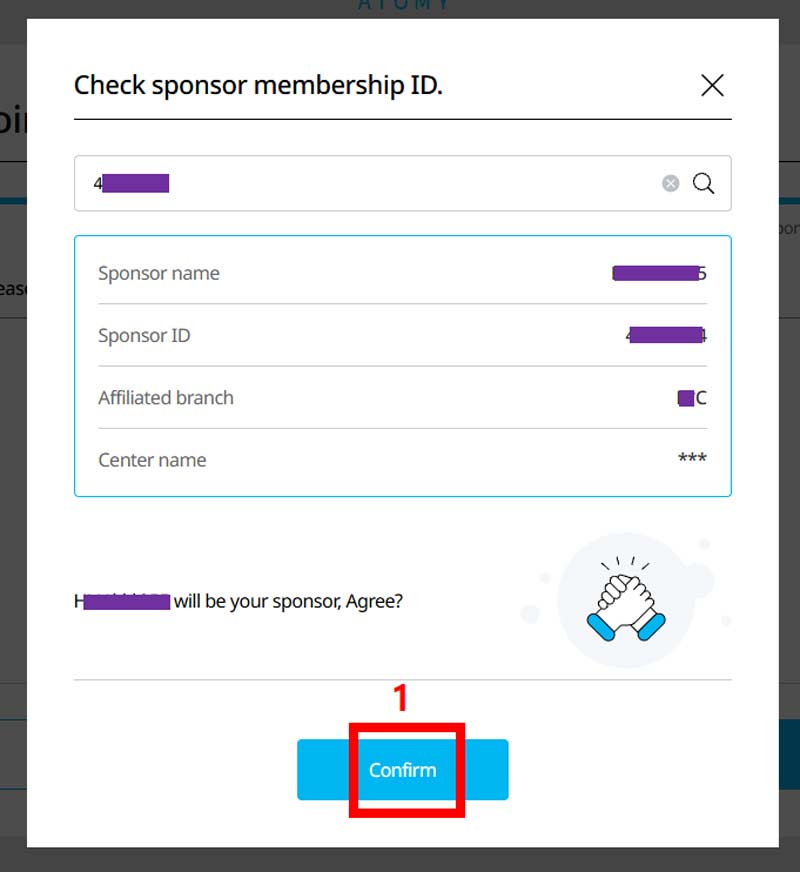
Check the information,
then select “Confirm.”
STEP 12
Check the details shown,
then click “Next.”
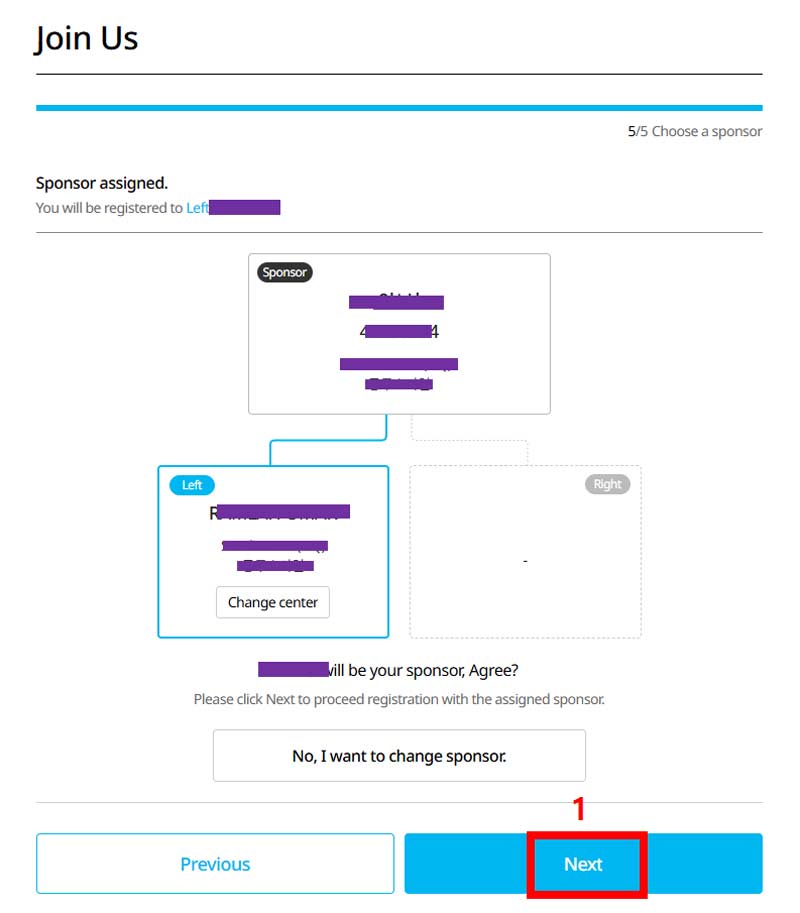
STEP 13
Check the details shown,
then select “Confirm” to continue.
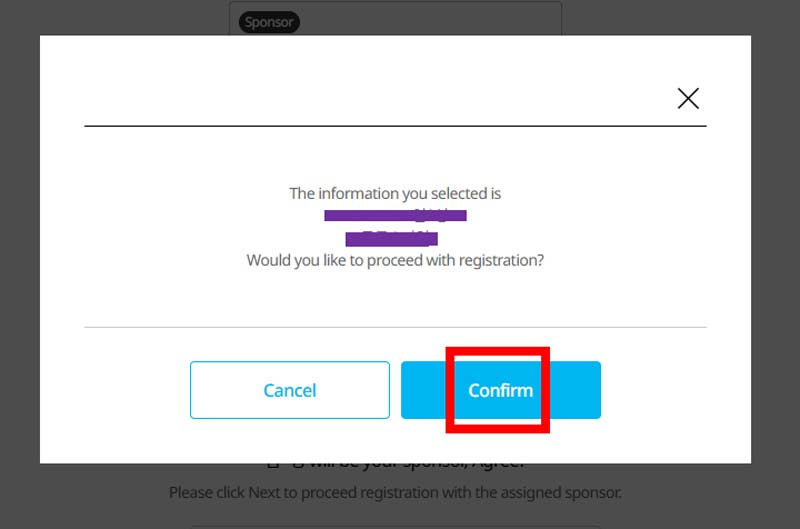
STEP 14
Registration has been successfully completed.
Remember your Member ID and Password—they are required to sign in.
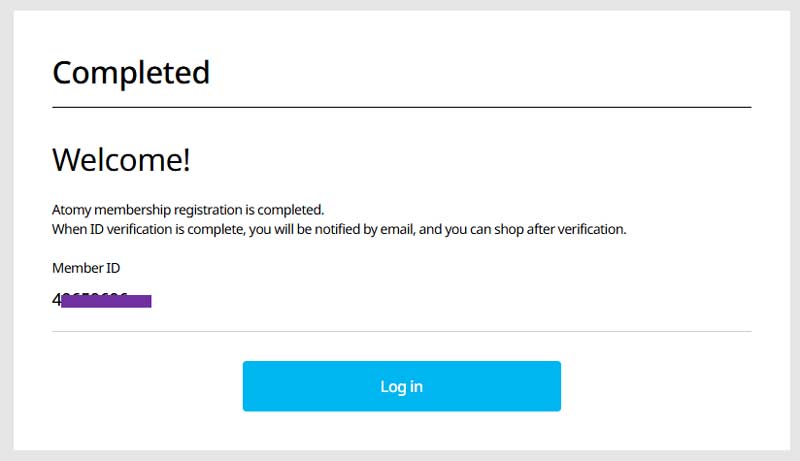
How to view my My Lineage(Organization Map)
Your Position, Clearly Explained
STEP 1
Log in on the official Atomy website for your country.
– Example Site –
https://eu.atomy.com/main
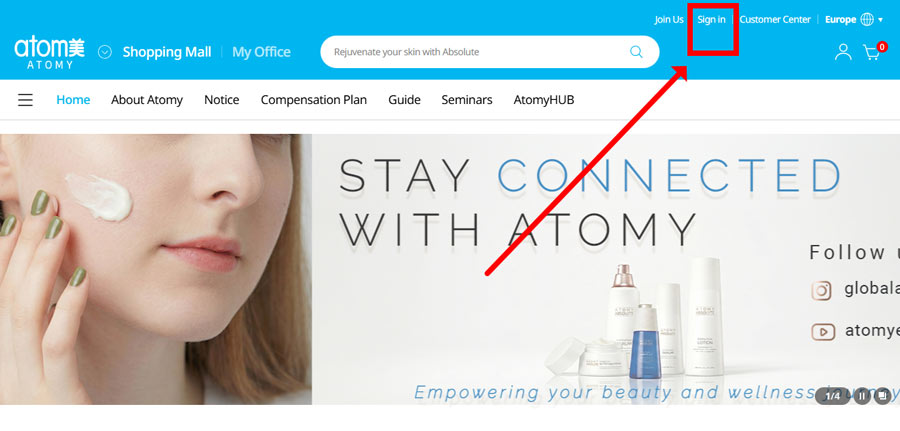
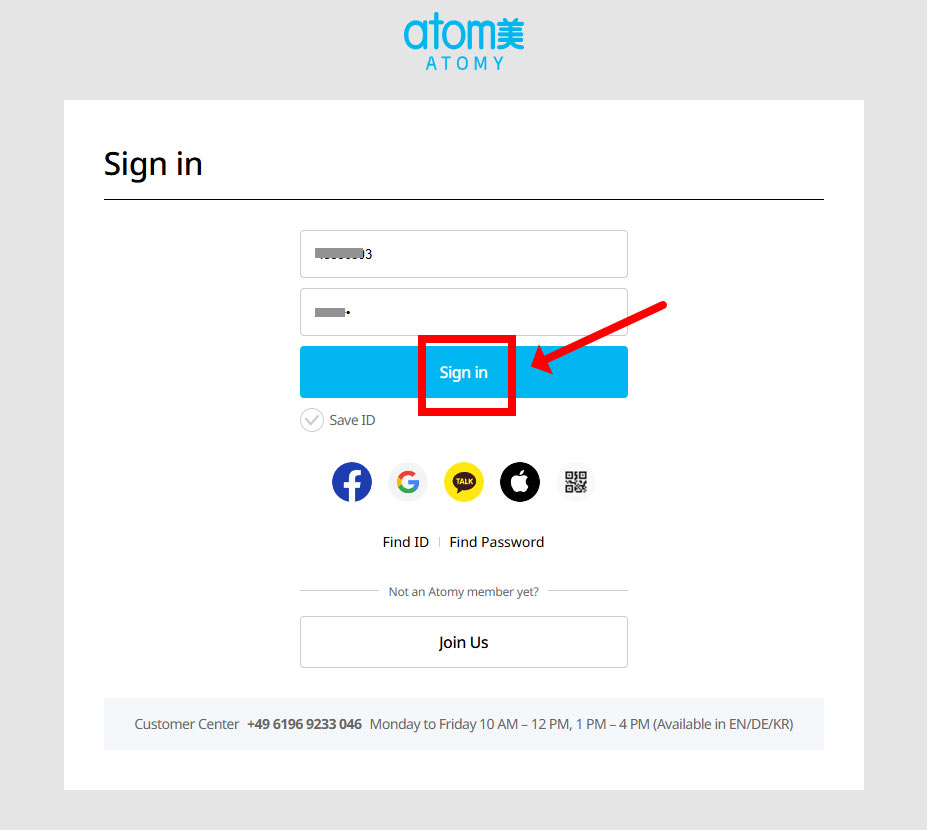
STEP 2
Sign in using your Atomy ID.
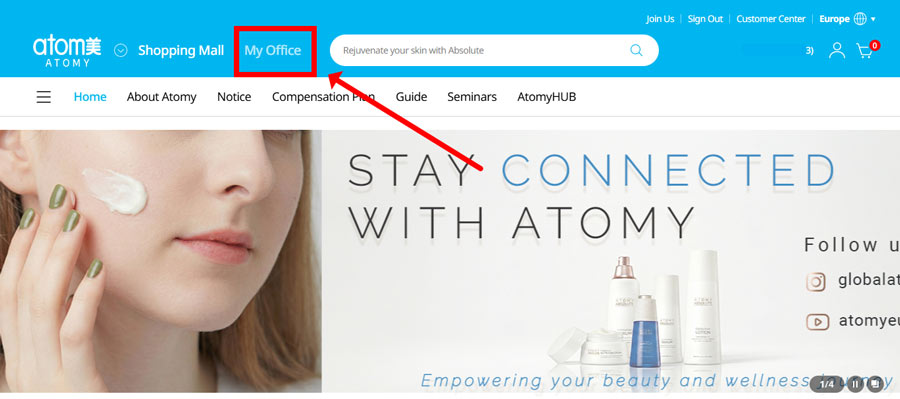
STEP 3
Click “My Office” to view your account and lineage.
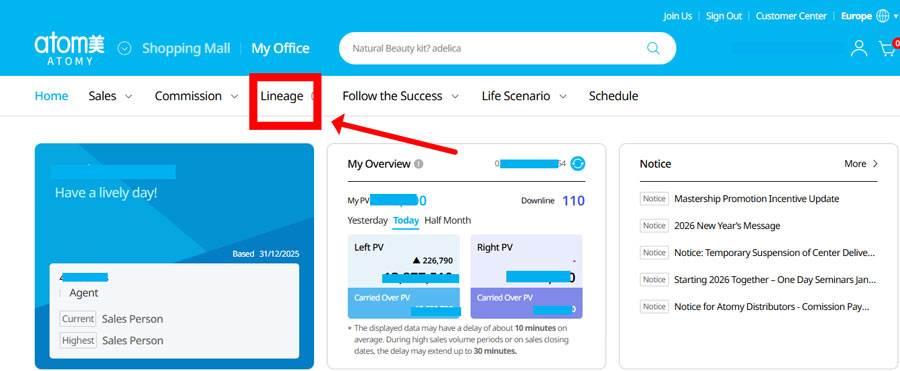
STEP 4
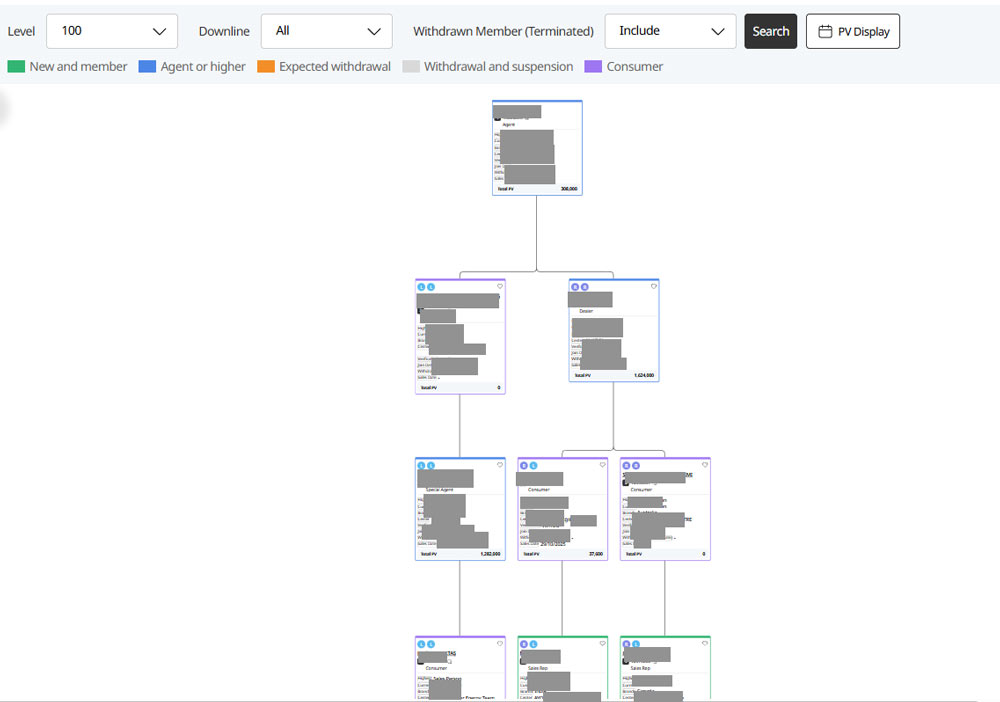
Go to “Lineage” to see where you are placed and how your team is structured.
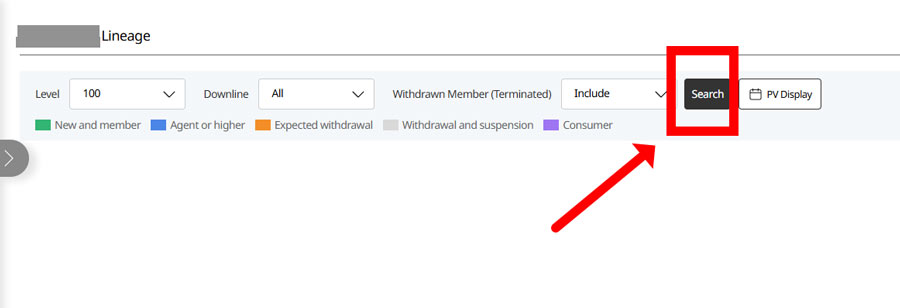
STEP 5
Use “Search” to find your position in the organization.
STEP 6
You’ll see your position at the top of the lineage tree screen.